![Logo.svg]](https://info.luca-app.de/hubfs/Logo.svg)
You can edit your registered email address directly in the Download Center in your luca locations account.
To do so, please log in to your luca locations account at https://app.luca-app.de/login and select the location you would like to edit.
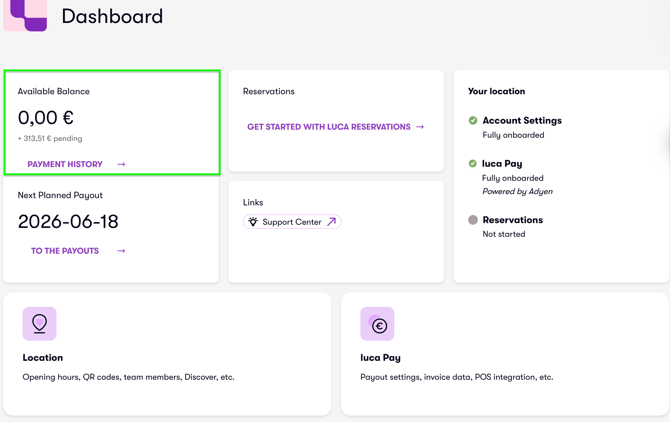
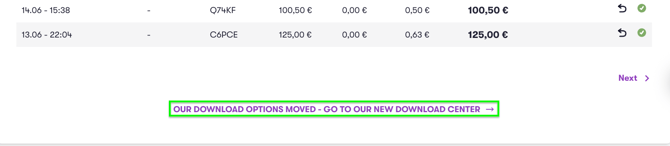
Next, navigate to the "Available Balance" and "Payment History" tabs. Scroll down to the bottom of the page, where you will find the link to our Download Center (image 1 and image 2).
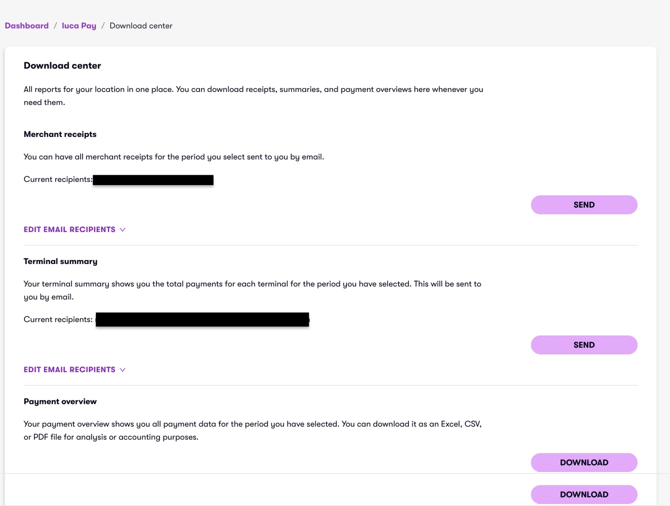
In the Download Center, you can access all receipts, summaries, and payment overviews. Click on "Edit Email Recipients", edit the email address, and click on "Save" (image 3).