![Logo.svg]](https://info.luca-app.de/hubfs/Logo.svg)
You can delete a location directly in your luca locations account.
To do so, please log in to your luca locations account at https://app.luca-app.de/login and select the location you would like to delete.
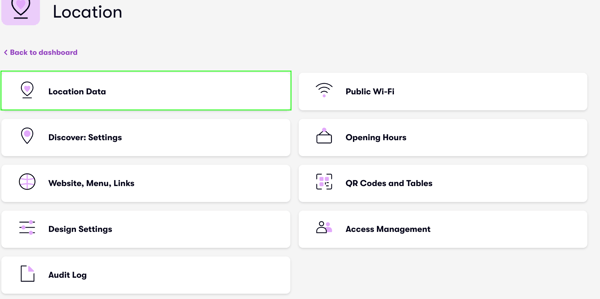
Then click on the “Location” tab and “Location Data” (Images 1 and 2).
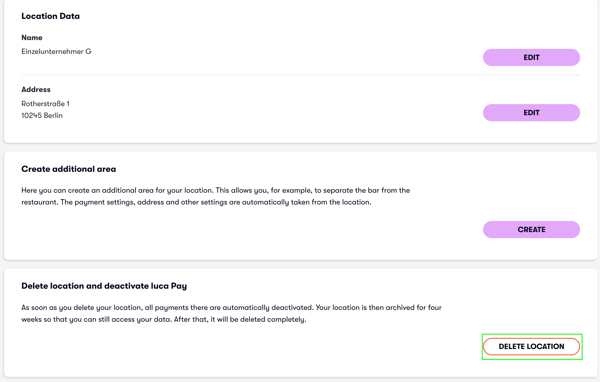
If you scroll all the way down, you will find the “Delete location” option on the right-hand side (Image 3).
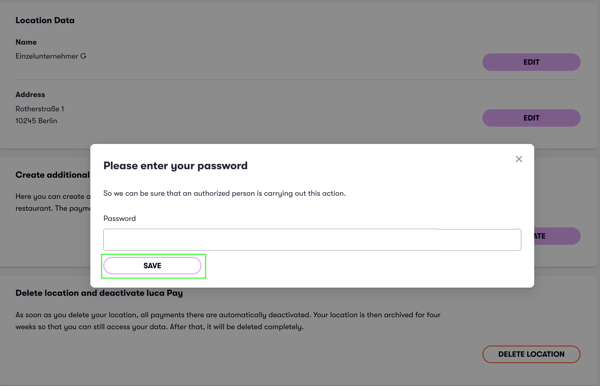
Click on "Delete", enter your password and click “Save” (Image 4).