![Logo.svg]](https://info.luca-app.de/hubfs/Logo.svg)
How it works:
- Log in to your luca account and open your payment history.
- Scroll down to the refund history section.
- Select the date range you need in the top right. You can also use the search field to search by payment code or amount.
- Click the download icon next to the refund. The receipt will be downloaded.
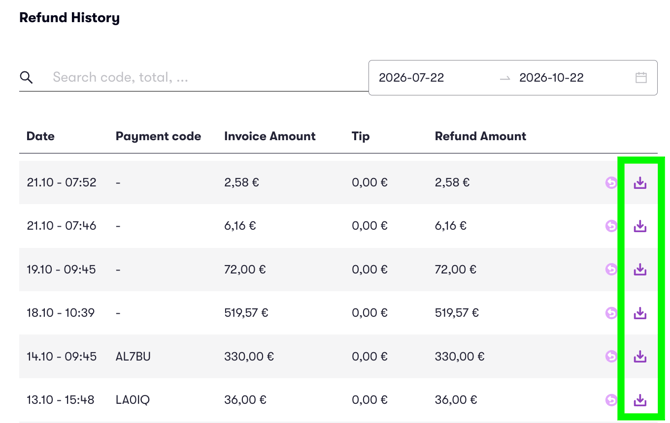
What the overview shows:
|
Column |
Meaning |
|---|---|
|
Date |
Date and time of the refund |
|
Payment code |
Code of the original payment, if available |
|
Invoice amount |
Amount of the original invoice |
|
Tip |
Tip paid |
|
Refund amount |
Amount actually refunded |
Good to know:
- Receipts are available for full and partial refunds.
- If a refund is missing, please check the selected date range first.